iOS Virtual Camera
2024-2025
This project began in 2024 during pre-production for the TV series Lockerbie.
The production had a limited budget, and there was a need to give the director
a way to visualise a set that had not yet been built. The team created a detailed
digital reconstruction of Lockerbie using historical photographs and map data,
and my challenge was figuring out how we could actually deliver that experience
to the director in a practical way while out on location.
My initial approach was to take Unreal Engine’s existing Virtual Camera (VCam) system and make it more portable. Out of the box, the Unreal VCam relies on WiFi and a fairly powerful machine to run. In practice this meant carrying around a large power bank with a laptop connected via ethernet to run the environment.
Despite the slightly cumbersome setup, the prototype worked. During a recce for the show, the director was able to stand in what was essentially an empty car park on the edge of a town and use the device’s gyroscope to look around a digital version of the set that would eventually be built there. Even in that early state, it proved extremely useful as a visualisation tool.
After that initial success we knew there would be a shoot day coming up a few months later, so around the end of January 2024 I went back to the drawing board to try and streamline the system. The goal was to remove as much external hardware as possible. I discovered that modern iPad Pros were capable of running fairly detailed Unreal environments locally with lighting, which opened the door to a fully standalone solution.
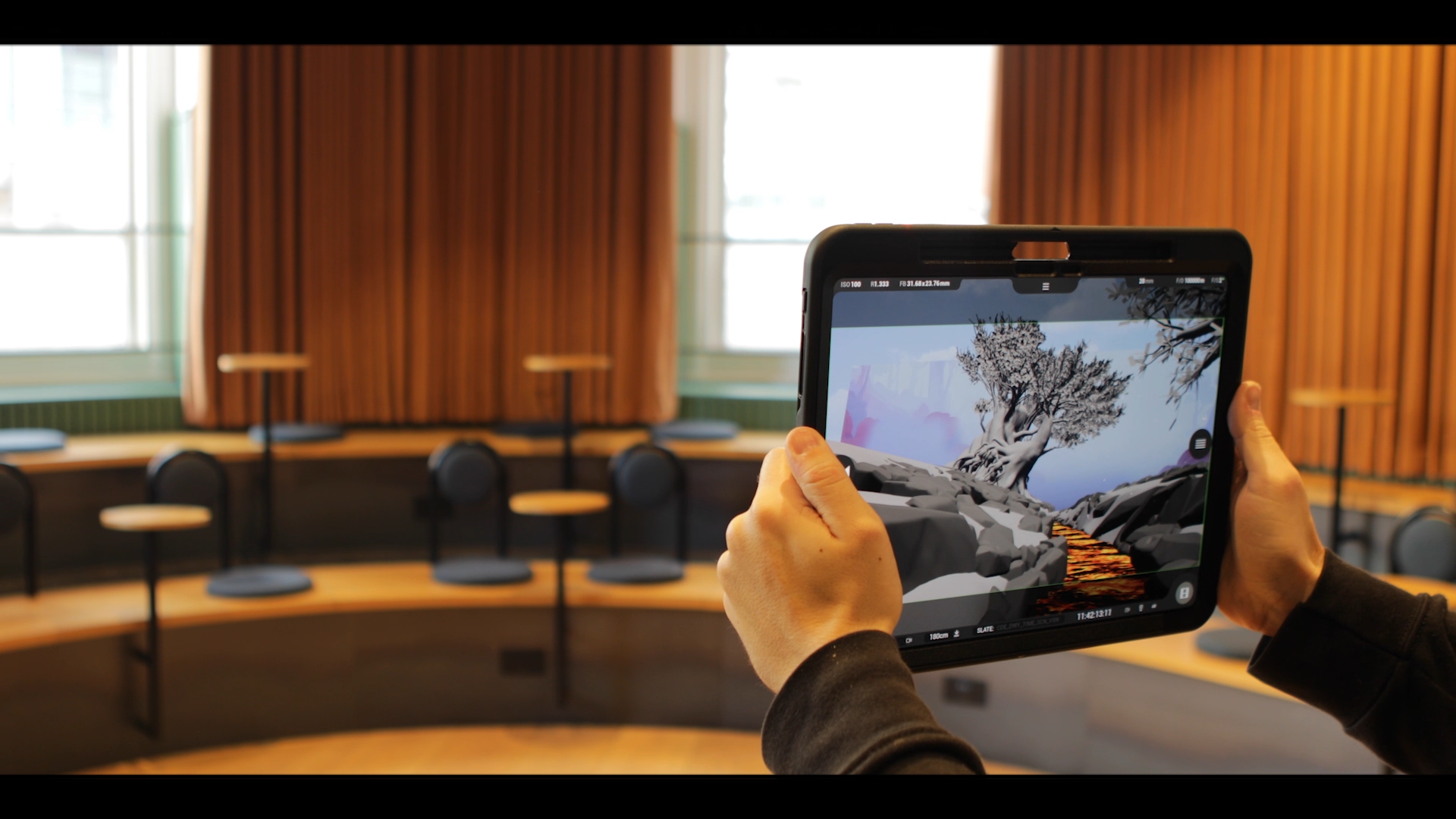
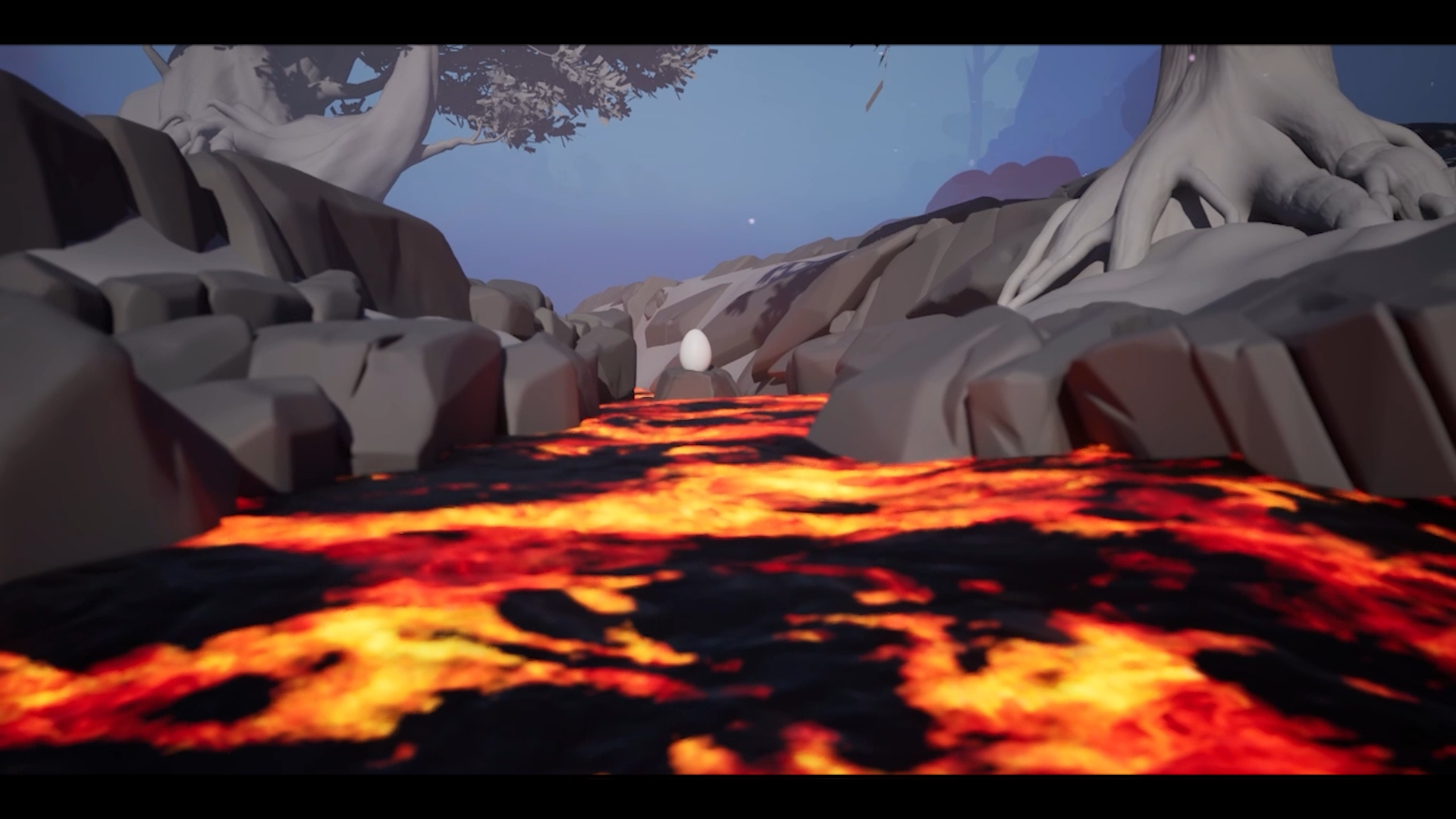
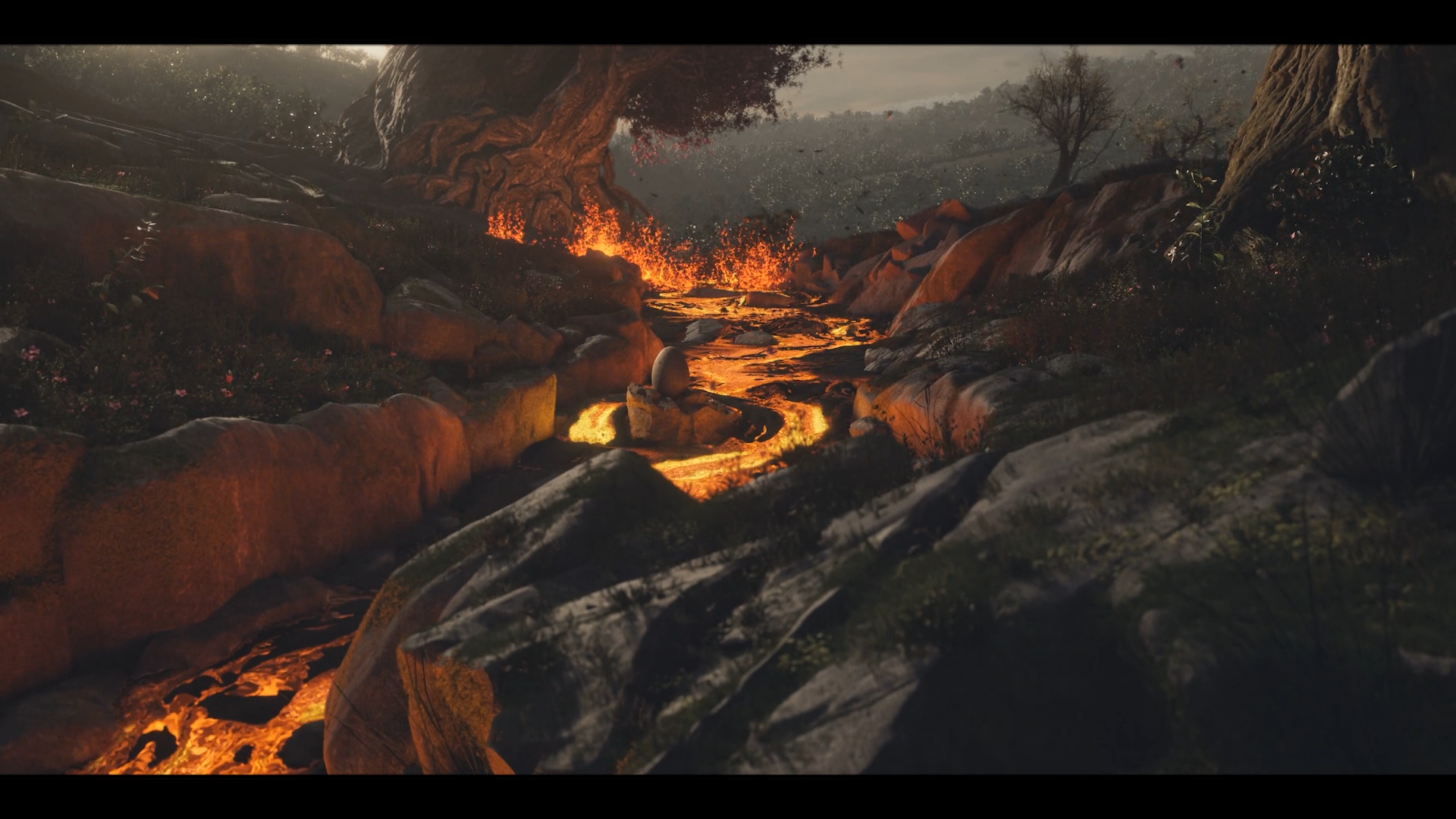
From there I began developing the MK2 version of the tool. This became a self-contained iOS application built from Unreal that could run entirely on the device, removing the need for a laptop or a long ethernet connection. I integrated Apple’s ARKit tracking to take advantage of the device’s gyroscope and motion data, effectively allowing the iPad to act as a handheld virtual camera.
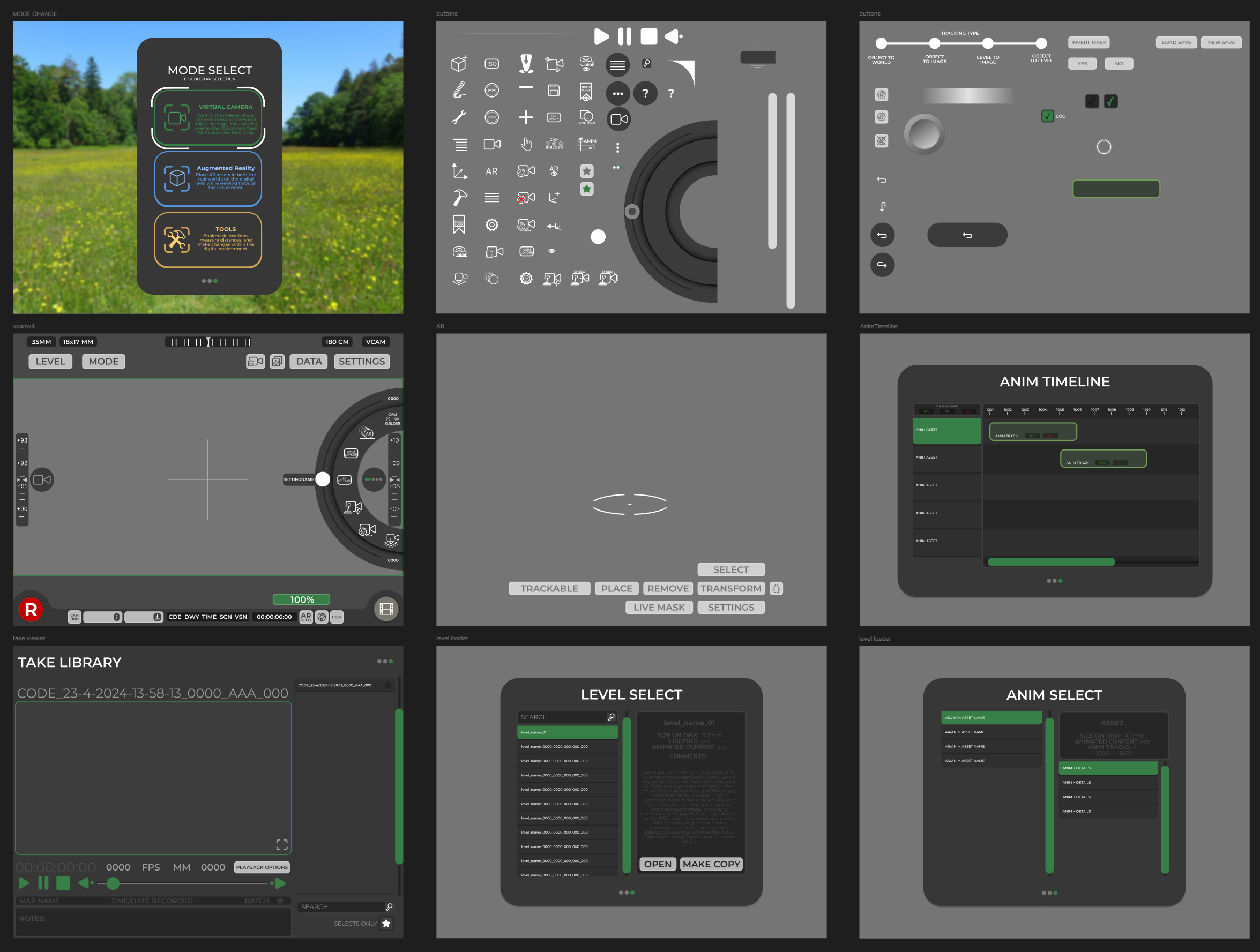
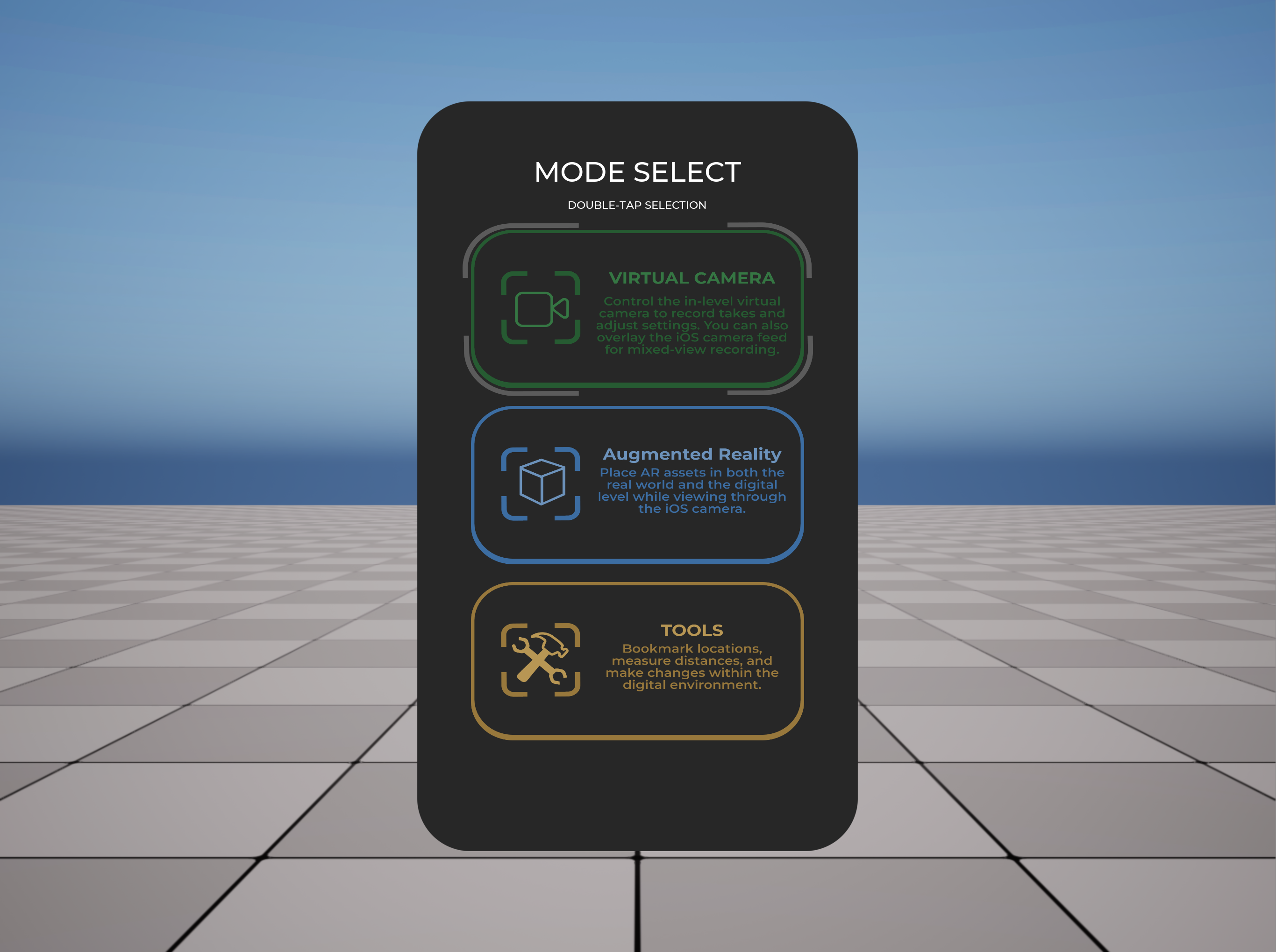
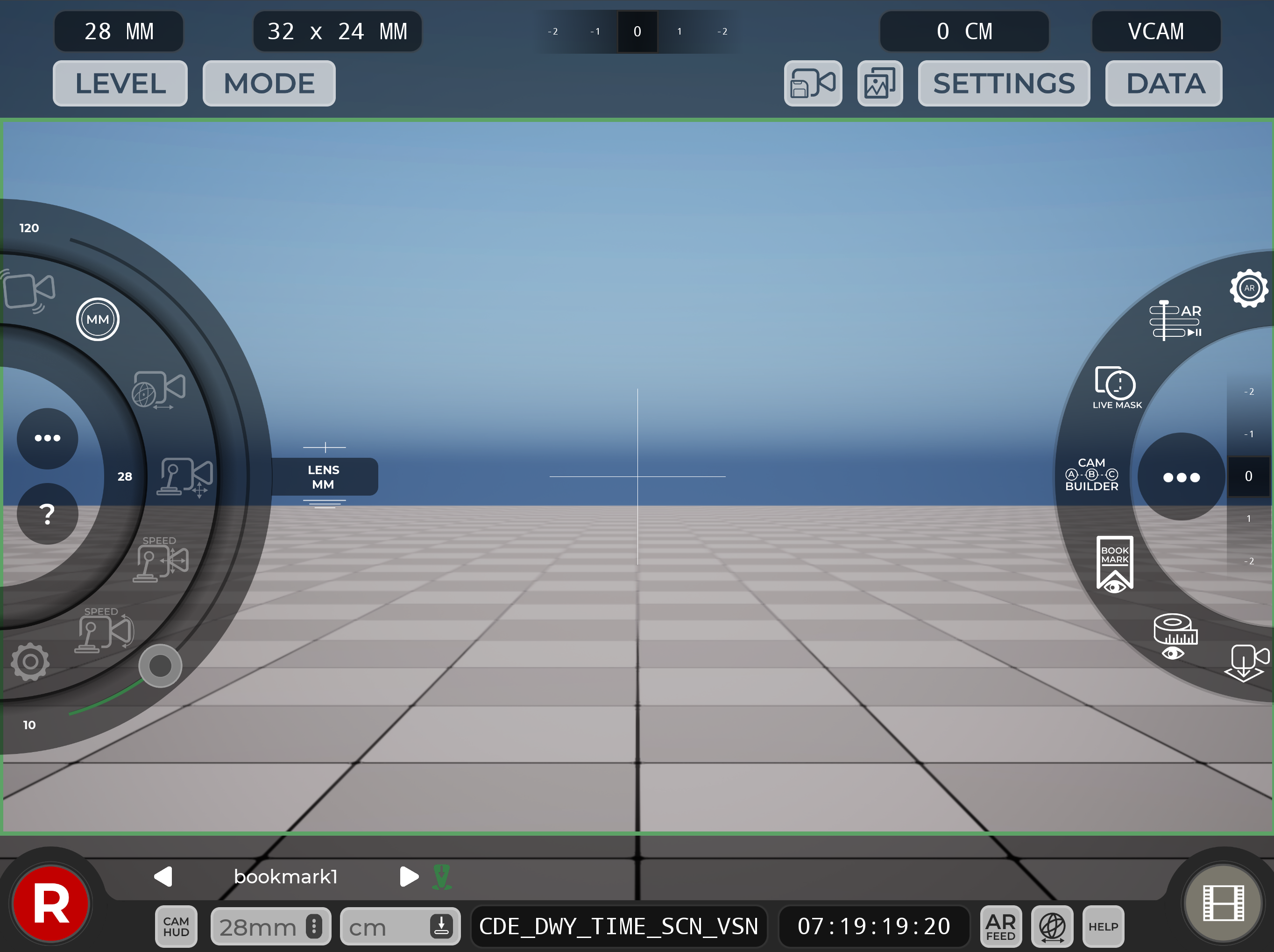
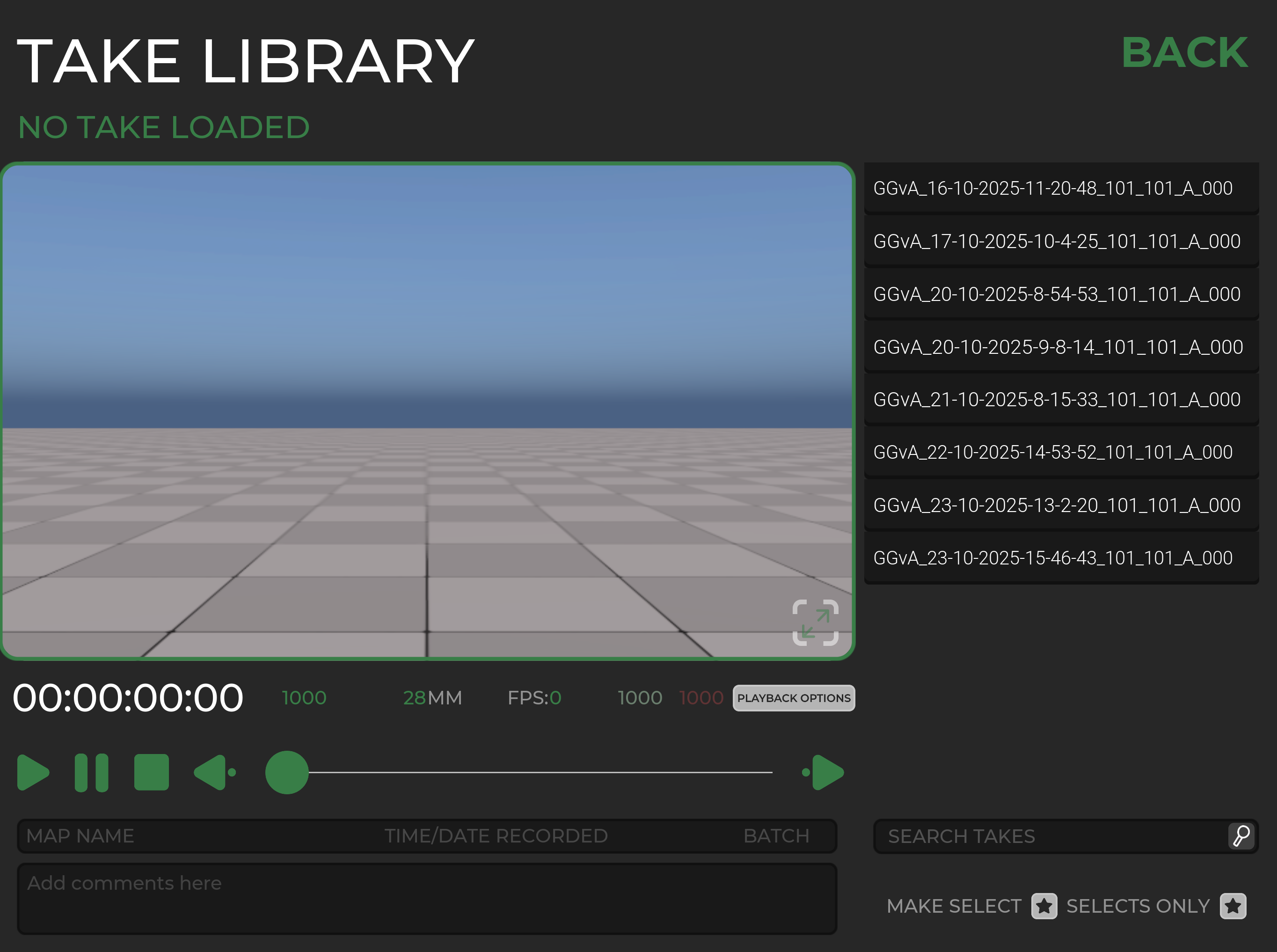
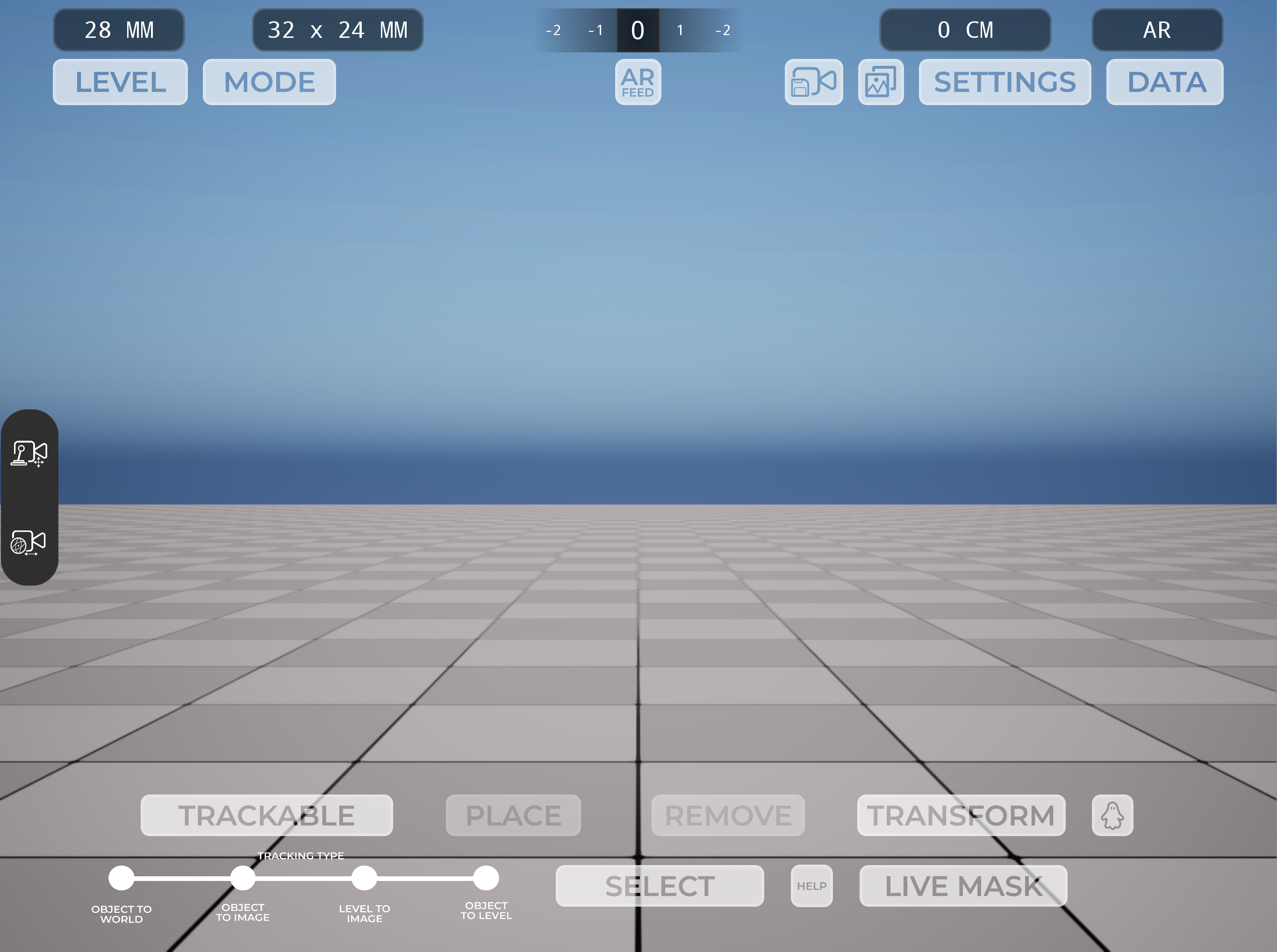
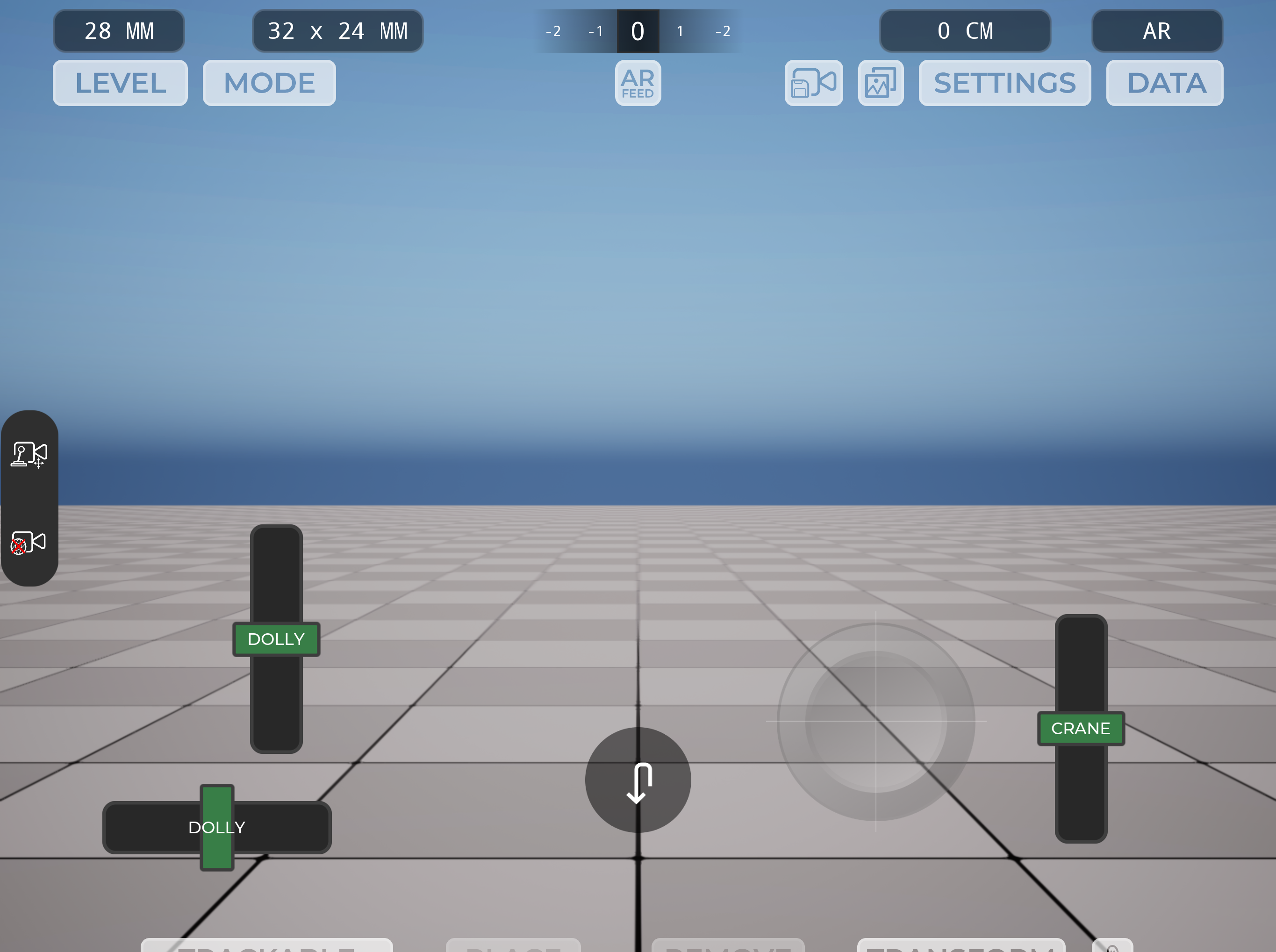
Alongside this, I built a custom UI system designed around what someone on a recce or film shoot might realistically need. This included runtime controls for modifying the environment, adjusting lighting and weather conditions, creating location bookmarks, and most importantly recording camera movement so it could be played back later.
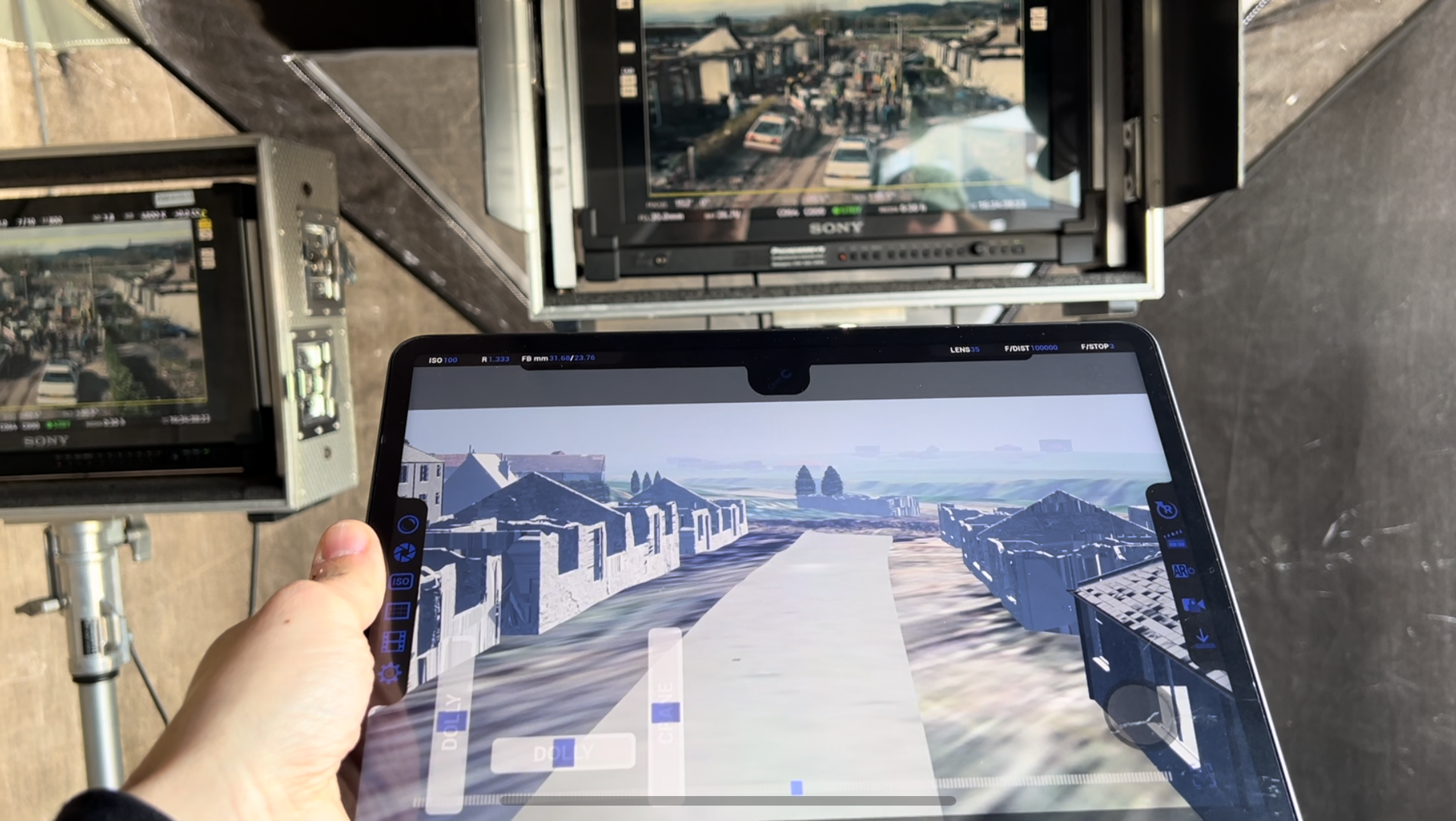
In April 2024 the application came with me on location where I shadowed the director and the on-set VFX supervisor during several shots that required visual effects. The app turned out to be a very useful reference tool during production. Film sets move extremely quickly and can often be chaotic, so having a simple way to match cameras in the CG environment and quickly visualise background extensions or potential paint-outs helped identify problems early before they became expensive in post-production.
Following this success, development continued through late 2024 and into early 2025 with a third iteration of the application. For MK3 I focused heavily on refining the user interface and simplifying the workflow so that the tool could be used quickly and intuitively on set.
During this phase I restructured parts of the Unreal project and implemented several plugin changes that expanded the functionality of the system. One of the key additions was the ability to import entire environments on the fly, allowing different scenes or locations to be loaded dynamically. I also implemented a TCP networking protocol that allowed the application to transmit camera transform and gyroscope data to another machine on the local network. This meant the device could both record camera movement locally and simultaneously drive a higher fidelity Unreal camera running on a desktop workstation.
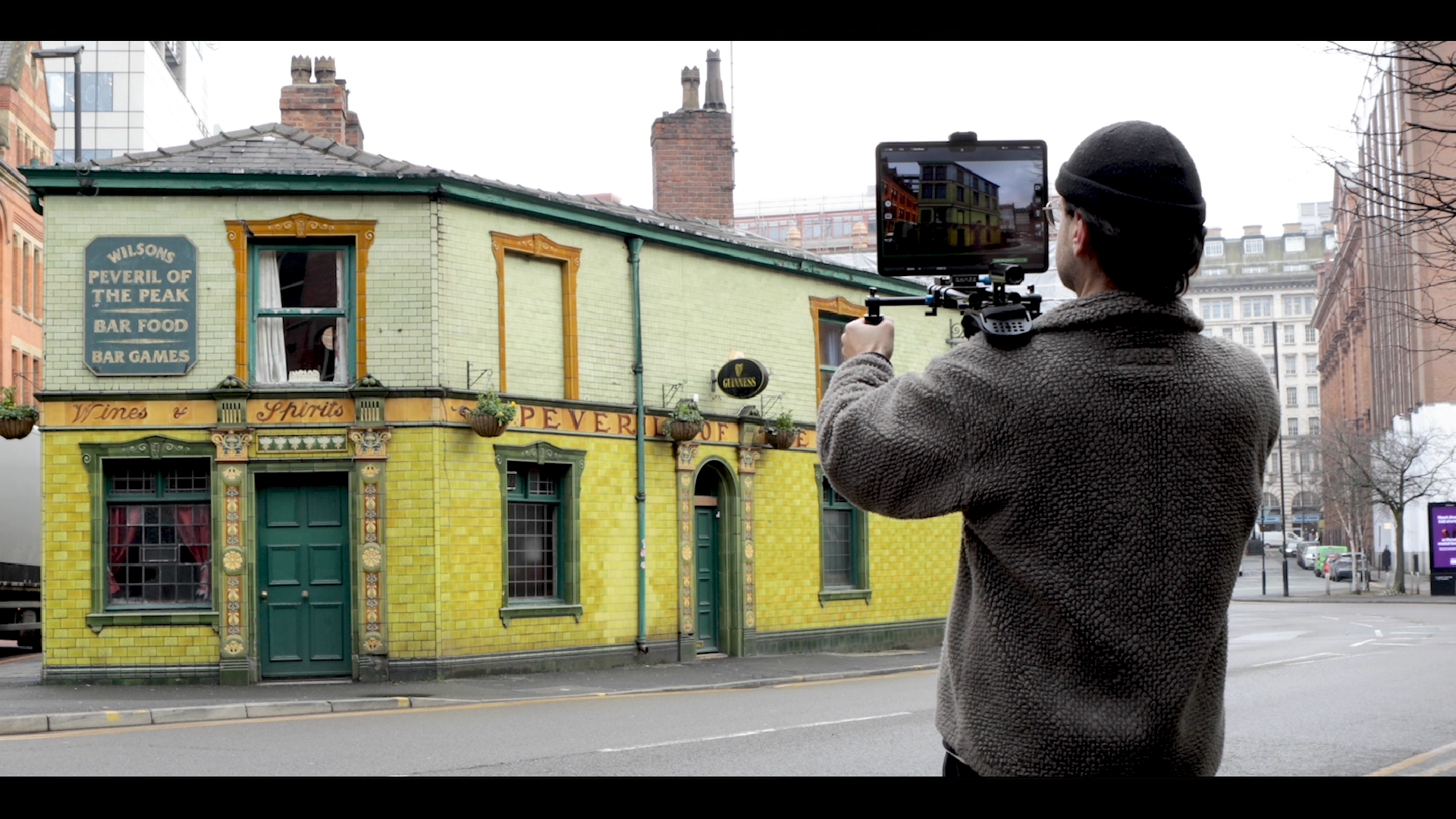
In April 2025 I was asked to bring the app on set again, this time for the production of a children’s TV show scheduled for release in 2026. In preparation for this shoot I added additional functionality that allowed the user to overlay the live camera feed from the device and composite the Unreal environment on top of it. This effectively allowed the user to place Unreal objects and animations into what appeared to be the real world.
The director for this production wanted to get a better sense of the scale of a spaceship that would eventually be extended digitally from a practical TV set. However, the recce location at that stage was simply an empty piece of grassland. In the week leading up to the shoot I took the spaceship model our team had begun developing and converted it into a placeable asset inside the application.
Using the device on location, the director was able to stand in the real environment and view the full-scale spaceship positioned in the scene. The ship was roughly 50 metres wide, and being able to visualise it in the physical space helped the team understand the true scale of what would eventually appear on screen.
This proved to be another useful application of the tool, allowing the director and VFX team to evaluate potential camera positions, framing, and shot direction before any physical set pieces or digital extensions had been completed.
This project ended up being one of the most technically challenging things I have worked on. It required learning how to optimise Unreal Engine environments for mobile hardware, navigating the iOS deployment pipeline, managing plugin compatibility issues, building an intuitive UI system, and carrying out QA testing across multiple devices. On top of the technical work, it also required managing the scope of a fairly complex Unreal project largely independently.
Unfortunately, due to restructuring within the company and a reduction of the TV and film team, the project eventually came to an end. Despite that, it was an incredibly valuable experience and a huge learning opportunity. Developing a real-world production tool that could be used directly on set gave me a much deeper understanding of both technical problem solving and how digital tools can support filmmaking workflows.
My initial approach was to take Unreal Engine’s existing Virtual Camera (VCam) system and make it more portable. Out of the box, the Unreal VCam relies on WiFi and a fairly powerful machine to run. In practice this meant carrying around a large power bank with a laptop connected via ethernet to run the environment.
Despite the slightly cumbersome setup, the prototype worked. During a recce for the show, the director was able to stand in what was essentially an empty car park on the edge of a town and use the device’s gyroscope to look around a digital version of the set that would eventually be built there. Even in that early state, it proved extremely useful as a visualisation tool.
After that initial success we knew there would be a shoot day coming up a few months later, so around the end of January 2024 I went back to the drawing board to try and streamline the system. The goal was to remove as much external hardware as possible. I discovered that modern iPad Pros were capable of running fairly detailed Unreal environments locally with lighting, which opened the door to a fully standalone solution.
From there I began developing the MK2 version of the tool. This became a self-contained iOS application built from Unreal that could run entirely on the device, removing the need for a laptop or a long ethernet connection. I integrated Apple’s ARKit tracking to take advantage of the device’s gyroscope and motion data, effectively allowing the iPad to act as a handheld virtual camera.
Alongside this, I built a custom UI system designed around what someone on a recce or film shoot might realistically need. This included runtime controls for modifying the environment, adjusting lighting and weather conditions, creating location bookmarks, and most importantly recording camera movement so it could be played back later.
In April 2024 the application came with me on location where I shadowed the director and the on-set VFX supervisor during several shots that required visual effects. The app turned out to be a very useful reference tool during production. Film sets move extremely quickly and can often be chaotic, so having a simple way to match cameras in the CG environment and quickly visualise background extensions or potential paint-outs helped identify problems early before they became expensive in post-production.
Following this success, development continued through late 2024 and into early 2025 with a third iteration of the application. For MK3 I focused heavily on refining the user interface and simplifying the workflow so that the tool could be used quickly and intuitively on set.
During this phase I restructured parts of the Unreal project and implemented several plugin changes that expanded the functionality of the system. One of the key additions was the ability to import entire environments on the fly, allowing different scenes or locations to be loaded dynamically. I also implemented a TCP networking protocol that allowed the application to transmit camera transform and gyroscope data to another machine on the local network. This meant the device could both record camera movement locally and simultaneously drive a higher fidelity Unreal camera running on a desktop workstation.
In April 2025 I was asked to bring the app on set again, this time for the production of a children’s TV show scheduled for release in 2026. In preparation for this shoot I added additional functionality that allowed the user to overlay the live camera feed from the device and composite the Unreal environment on top of it. This effectively allowed the user to place Unreal objects and animations into what appeared to be the real world.
The director for this production wanted to get a better sense of the scale of a spaceship that would eventually be extended digitally from a practical TV set. However, the recce location at that stage was simply an empty piece of grassland. In the week leading up to the shoot I took the spaceship model our team had begun developing and converted it into a placeable asset inside the application.
Using the device on location, the director was able to stand in the real environment and view the full-scale spaceship positioned in the scene. The ship was roughly 50 metres wide, and being able to visualise it in the physical space helped the team understand the true scale of what would eventually appear on screen.
This proved to be another useful application of the tool, allowing the director and VFX team to evaluate potential camera positions, framing, and shot direction before any physical set pieces or digital extensions had been completed.
This project ended up being one of the most technically challenging things I have worked on. It required learning how to optimise Unreal Engine environments for mobile hardware, navigating the iOS deployment pipeline, managing plugin compatibility issues, building an intuitive UI system, and carrying out QA testing across multiple devices. On top of the technical work, it also required managing the scope of a fairly complex Unreal project largely independently.
Unfortunately, due to restructuring within the company and a reduction of the TV and film team, the project eventually came to an end. Despite that, it was an incredibly valuable experience and a huge learning opportunity. Developing a real-world production tool that could be used directly on set gave me a much deeper understanding of both technical problem solving and how digital tools can support filmmaking workflows.
I developed and deployed a mobile virtual camera application in Unreal Engine that allowed directors and
VFX teams to visualise digital environments and set extensions directly on location. The
project began as an adaptation of Unreal’s existing VCam system but evolved into a fully
standalone iOS application running on iPad Pro devices, removing the need for external hardware.
The app used ARKit tracking and device gyroscope data to function as a handheld virtual camera, with tools for recording camera movement, adjusting lighting and environments in real time, bookmarking locations, and dynamically loading scenes. Later iterations added networking functionality to stream camera data via TCP to a desktop Unreal instance, as well as an AR compositing mode that overlaid Unreal assets into the real world using the device’s camera feed.
The tool was used on multiple productions during location scouting and filming, helping directors and VFX supervisors visualise sets that had not yet been built, evaluate camera placement, and understand the scale of large digital elements.
This project ended up being one of the most technically challenging things I have worked on. It required learning how to optimise Unreal Engine environments for mobile hardware, navigating the iOS deployment pipeline, managing plugin compatibility issues, building an intuitive UI system, and carrying out QA testing across multiple devices. On top of the technical work, it also required managing the scope of a fairly complex Unreal project largely independently.
The app used ARKit tracking and device gyroscope data to function as a handheld virtual camera, with tools for recording camera movement, adjusting lighting and environments in real time, bookmarking locations, and dynamically loading scenes. Later iterations added networking functionality to stream camera data via TCP to a desktop Unreal instance, as well as an AR compositing mode that overlaid Unreal assets into the real world using the device’s camera feed.
The tool was used on multiple productions during location scouting and filming, helping directors and VFX supervisors visualise sets that had not yet been built, evaluate camera placement, and understand the scale of large digital elements.
This project ended up being one of the most technically challenging things I have worked on. It required learning how to optimise Unreal Engine environments for mobile hardware, navigating the iOS deployment pipeline, managing plugin compatibility issues, building an intuitive UI system, and carrying out QA testing across multiple devices. On top of the technical work, it also required managing the scope of a fairly complex Unreal project largely independently.
Tools used: Unreal Engine 5 / Maya / Photoshop / Figma / Xcode